Rocket Paddle
Credit: Chris Piech
Create a program that has a paddle that moves along the bottom of the screen, tracking the user's mouse horizontally. When the user clicks the mouse, fire a rocket from the paddle, and animate it flying up the screen! There is no limit to the number of rockets you can fire.
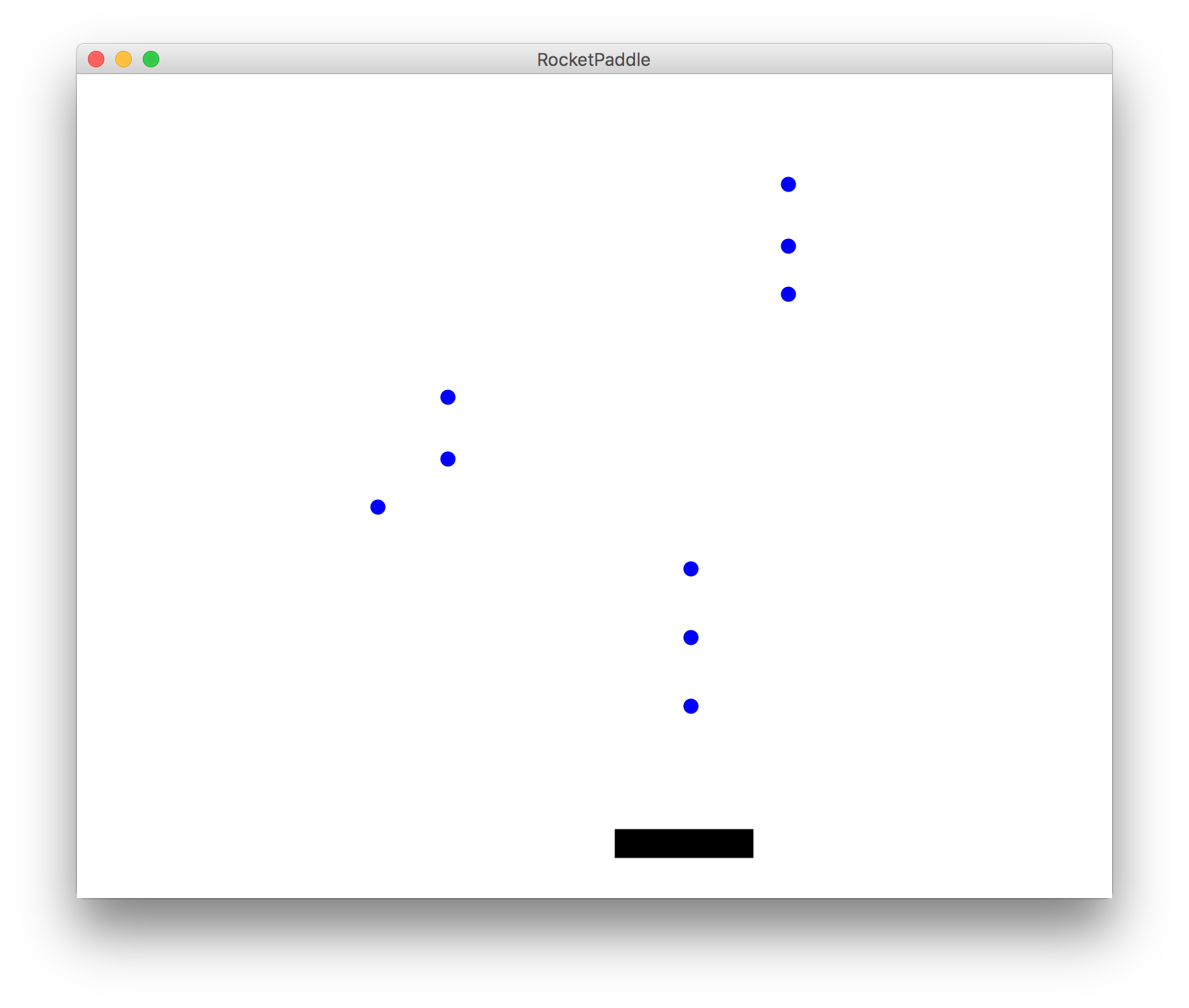
Solution
"""
File: rocket_paddle.py
-------------------
Creates a paddle that tracks the user's mouse, and that shoots rockets
on click that travel up the screen.
"""

from graphics import Canvas
import time

ROCKET_DIAMETER = 10

# The amount a rocket moves each frame
ROCKET_MOVE_AMOUNT = 5

# The paddle location and dimensions
PADDLE_Y_OFFSET = 50
PADDLE_WIDTH = 100
PADDLE_HEIGHT = 20

ANIMATION_DELAY_SECONDS = 0.02


def main():
    canvas = Canvas()
    canvas.set_canvas_title("Debris Sweeper")

    # The list of all rockets on the canvas
    rocket_list = []
    paddle = create_paddle(canvas)
    canvas.update()

    while True:
        update_paddle_location(canvas, paddle)
        check_for_new_rockets(canvas, rocket_list)
        animate_rockets(canvas, rocket_list)

        canvas.update()
        time.sleep(ANIMATION_DELAY_SECONDS)

    canvas.mainloop()


def create_paddle(canvas):
    """
    Creates and returns a paddle rectangle initialized at the bottom of
    the screen at the appropriate vertical offset, filled black.
    """
    y = canvas.get_canvas_height() - PADDLE_Y_OFFSET
    paddle = canvas.create_rectangle(0, y, PADDLE_WIDTH, y + PADDLE_HEIGHT)
    canvas.set_color(paddle, 'black')
    return paddle


def update_paddle_location(canvas, paddle):
    """
    Updates the paddle location to track the mouse.  The paddle y
    coordinate will not change, but the x coordinate will be centered
    at the mouse x.
    """
    canvas.moveto(paddle, canvas.get_mouse_x() - canvas.get_width(paddle) / 2,
                  canvas.get_top_y(paddle))


def check_for_new_rockets(canvas, rocket_list):
    """
    Checks if there are any new mouse clicks, and if there were, adds
    a new rocket to the screen at the location of each mouse click, and
    also adds the rocket (circle) to the rocket list.
    """
    clicks = canvas.get_new_mouse_clicks()
    for click in clicks:
        y = canvas.get_canvas_height() - PADDLE_Y_OFFSET
        rocket = canvas.create_oval(click.x, y,
                                    click.x + ROCKET_DIAMETER,
                                    y + ROCKET_DIAMETER)
        canvas.set_color(rocket, 'blue')
        rocket_list.append(rocket)


def animate_rockets(canvas, rocket_list):
    """
    Animates all rockets in the rocket list that are still visible on
    the canvas.
    """
    for rocket in rocket_list:
        if canvas.get_top_y(rocket) + canvas.get_height(rocket) >= 0:
            canvas.move(rocket, 0, -ROCKET_MOVE_AMOUNT)


if __name__ == "__main__":
    main()